|
My name is Theressa François. Have fun poking around! |
 |
RESPONSES & REFLECTIONS:
Genius Hour - ARCC Framework
NOVEMBER 26, 2017
Does this post go under "Reflections", or "Artifacts", or "Frameworks"? It's got elements of all three, but I'm going to put it here because utlimately, I created this tool in response to the lessons I've learned over the past three months (after plenty of reflection.)
I'm very excited to present a framework I developed as part of my Genius Hour assignment! It's called ARCC, and it's meant to help second and foreign language eductors choose ICT tools. The idea is that educators shouldn't necessarily choose a resource based on its treatment of language, but rather on the quality of the target-language interactions it encourages in students. ICT doesn't even have to be translated into the target language, just so long as it gets the students using it to communicate!
The framework looks like this:
A | Absorb: Students absorb new vocabulary through listening and viewing. | Examples: Videos, songs and audiobooks, non-educational video games featuring plenty of dialogue. |
R | Recall: Students repeat new vocabulary and phrases, without necessarily fully understanding their structure or appropriate uses. | Examples: Matching drills, electronic flashcards, word searches, many language learning applications and programs. |
C | Comprehend: Students understand input from the target language and can answer questions in that language independently. | Examples: Content-based tests, target language quizzes, puzzles with specific outcomes, simulations, language applications requiring phrase translation and sentence assembly. |
C | Create: Students share ideas and explore concepts using the target language. | Examples: Writing emails, blogging, video and audio creation and editing, social media posts in the target language. |
Here's a video explaining my framework. I'm speaking very quickly because I had a time limit of 5 minutes. Turn on the subtitles if you want to catch all of the dialogue. If you don't feel like sitting through my video, you can download and read my presentation paper instead.
- Theressa
↻ BACK to TOP
Paradigm Shifting in 3... 2... 1...
NOVEMBER 5, 2017
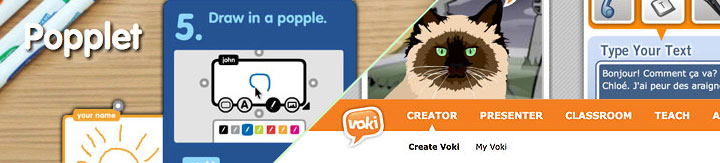
I'm only just realising that I have tended to think of educational design (and lesson planning) in rather narrow terms: It was my job to design a very specific path and it was my students' job to follow it. Our activity design challenge forced me out of that mindset.
After exploring Voki.com, Popplet.com and truly absorbing the lessons from this and other courses this term, I've come to understand that the best learning activities occur when students are free to choose - or better yet - create their own path. It doesn't much matter how you get to the destination so long as you arrive!
That means I have to resist overdesigning activities and forcing students to perform tasks in the exact same way. I need to create learning landscapes instead, where the students are provided with the tools to successfully complete objectives in a way that makes the most sense to THEM.
Whether or not I go back to a regular classroom, my approach to teaching has been profoundly altered.
- Theressa
↻ BACK to TOP
My Brain Hurts!
October 27, 2017

I'm currently taking 4 courses and the content is so similar across all of them that it all kind of mixes in my brain. Things I learn about lesson design apply to evaluation which then apply to knowledge management which then link to material I'm researching in my Memorial course...
It doesn't matter how often I print out instructions, write myself notes or add reminders on my phone - I frequently mix up assignment parameters and lessons! It can be hard to keep track of all the different currents that make up the larger stream that is educational technology.
At least I'm learning, right?
- Theressa (Image sourced here.)

↻ BACK to TOP
WEBSITES:
HourofCode.org - Teaching Programming in Bite-Sized Chunks
NOVEMBER 13, 2017

A number of news outlets (here, here and here) have suggested that we need to seriously augment the number of Canadian students who are comfortable with the basic concepts of programming in order to meet the growing demand for Information Technology (IT) workers. The Canadian Federal Government recently announced 50 million dollars in funding for IT training in public schools to help meet this need.
I learned javascript in what had been the conventional way in 2000: Some guidance from mentors, some book reading, and a whole lot of trial and error. This approach isn't exactly optimal for the typical K-12 student! Fortunately, HourofCode.org is here to make teaching programming easy.
I've used Hour of Code to teach grade 3 and 4 students programming and I've also run a workshop training other teachers how to use the website. Both age groups responded positively to the activities. Lessons are organised sequentially and concepts are introduced incrementally. Thanks to a graphical user interface (GUI) using drag-and-drop components, users aren't required to type lines of code. This is a very good thing in programming, where an errant apostrophe can ruin an entire webpage! Super geeks can still access the code if they like, but the default option keeps it hidden for simplicity's sake.
Lessons feature popular characters from popular culture, including Star Wars, Minecraft, Flappy Bird and even Disney's Frozen film. Ensuring that lessons are attractive for girls is a big part of Code.org's mandate and they strive to ensure that female characters are equally represented in lessons.
Users are typically given a task to complete, as well as the components they'll need to accomplish that task, but it is up to the students to organise the components successfully. Users are allowed - even encouraged - to mess around with the components provided the lesson's goal has been met. Within less than twenty lessons, users are tackling conditional operations, adding functions, creating loops and using logic to tell avatars how to move within virtual environments.
The website's content is organised a number of ways depending on the needs and interests of users. Independent learners with decent reading skills can work through lessons at their own pace. Lesson plans have also been created to help teachers work their way through concepts sequentially. Code.org has even included printable worksheets for teaching concepts before attempting activities on the computer. Hints and reminders are provided within activities for those who aren't meeting the goals of a particular lesson.
HourofCode.org demonstrates all the elements of good activity design: Compelling and meaningful activities, memorable challenges that encourage creative problem-solving, careful scaffolding of new concepts, and unobtrusive assistance and feedback. Did I mention that it's also available in French?
- Theressa
↻ BACK to TOP
UIE.com: A site dedicated to User Interface Engineering
OCTOBER 5, 2017
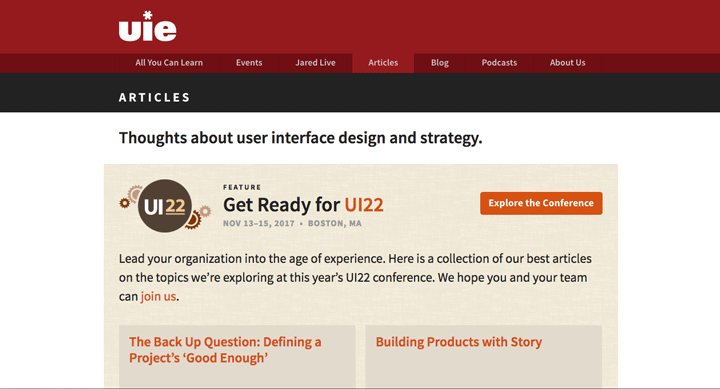
I was assigned readings from this website. The articles I was assigned are very, VERY old, but many of the concepts covered remain pertinent today. Great lessons included: Observe users during prototyping and notice when they DON'T use the interface the way you had intended; Prototype designs as cheaply as possible (on paper if necessary) so that changes can be made easily - before designers get too invested in an element, and; Never force users down the path you have chosen but rather adapt your design to the choices users are making naturally because it's all about usability!
The website is well-maintained and current. In fact, the website is undergoing a makeover right now. Some of the menu items lead to a 2001-era design, but the interface functions properly nonetheless. UIE.com continues to produce articles guiding good interface design and they also organise conferences. I'll be visiting this website often!
- Theressa
↻ BACK to TOP
PBSLearningMedia.org: What an eRepository Should Look Like!
SEPTEMBER 26, 2017
One of my assignments was to research digital repositories - websites where educators can access, exchange and curate educational materials. Some repositories also feature platforms for peer-to-peer networking and professional development opportunities. One of the assigned websites was PBSLearningMedia.org:

THIS is what I want to do for French Immersion educators and learners! The interface is intuitive and the material is easily searchable. You can limit results by grade, by subject matter and by media type. Users can even further refine results by choosing unit themes or by including resources created by other teachers:

One of the best features, in my opinion, is the student version of the site. It is visually appealing, sure, but more importantly, it allows students to access many of the same materials as their teachers, but organised and presented in a way that is more pertinent to them. What's more, students can complete assignments online (which must mean that teachers can organise an online classroom through this site), join classrooms and bookmark favourite resources:

PBS did not create all the materials offered on the website. They have partnered with a number of established and trusted content creators (such as NOVA, Masterpiece, The Kratt Brothers, Frontline and Ken Burns, among others.) They also accept and vet materials created by educators, augmenting the number of resources available to classroom teachers and their students.
Insights gained from studying this website:
- I don't have to create everything myself! There are already some good resources out there for French-language students, but they're spread out over many different websites. Partnering with existing developers would be an excellent way of augmenting resources on the repository I plan on building. TFO (the Ontario French-language television channel) has a section on PBSLearningMedia.com with videos presenting the letters of the alphabet and a few vocabulary words in French.
- Materials must be properly organised and easily searchable. PBSLearningMedia has a robust system for seeking out resources based on grade level, subject and type. Once these are selected, educators have still more options for narrowing search results by unit theme and even further still. The materials on my repository must be properly tagged to ensure that users can find them according to a variety of search terms and categories.
- Curate the resources! When hunting for quality educational media online, there are few things more frustrating than having to wade through page after page of mediocre or buggy materials to find something useful. The repository for the Mimio whiteboard application is like this as was the repository at a school division where I once worked. I avoided both unless I was desperate for ideas. PBSLearningMedia have clearly taken the time to ensure that only the best quality, most pertinent resources have been retained.
- You can have the same database of resources, but present them differently for different audiences. PBSLearningMedia.org has taken the differing needs of educators and students into account by creating two different landing pages and search mechanisms for each group. The teacher website is all about finding media quickly. The student version is more about exploring and having fun. When I build a repository, I will want to include a section for francophone and francophile parents as well as for educators and students.
- Theressa
↻ BACK to TOP
LESSONS & ARTIFACTS:
Adventures with PowerPoint
NOVEMBER 13, 2017
I created this Powerpoint as part of another course regarding research in computers. It explains how difficult it can be for French Immersion and French Second Language teachers to find appropriate Francophone resources online.
- Theressa
↻ BACK to TOP
Meet Franswa!
OCTOBER 17, 2017

Anyone who knows me knows why I chose to pursue a Master of Education in Information Technology. For over a decade, I've dreamed of creating an accessible online repository full of games and learning materials catering specifically to French Immersion students, their teachers, and their parents.
Pursuing this course has forced me to flesh out some of those concepts in more detail. As I was working on lesson plans, I toyed with the idea of learners creating their own personalised avatars for the learning games I would be creating. I soon got hung up on gender. Sure, I could show stereotypical boys wearing short pants and girls in frilly dresses, but forcing that dichotomy would be insensitive and it would cause all kinds of other issues in my lessons.
While learning the names of clothing items, would a male learner refuse to “try on” stereotypically female items and vice versa? What about the cultures that don't dress like a typical North American? What's more, gender affects so many components of the French language that twisting my games around those issues could become a major headache. I needed a genderless, cute and engaging character to guide learners through their lessons, one that could look ridiculous, if necessary.
While sketching out characters, I remembered how much fun my students and I had writing a Choose Your Own Adventure story that centred around an alien invasion at the school. Of course! The guide should be an alien! The parallels are compelling for French Immersion students: I remember arriving for my first days of kindergarten having absolutely no idea what any of the adults were saying. It was like being on another planet!
I'm not sure what I'll eventually name this little creature. I shall call it “Franswa” until I can come up with something better. Creating e-learning activities is much easier now that Franswa is onboard!
- Theressa
↻ BACK to TOP
GUIDES & FRAMEWORKS:
Designing for Second and Foreign Language Learners
OCTOBER 16, 2017
While working on my literature review for this course, I found some practical and helpful articles and research papers to help guide the e-learning design process. What follows is an annotated list of my three favourite resources on approaches to designing tools for second and foreign language learners (not all of which ended up in my review.)
1. Ziegler, & Feucht, Nathan, Florian E. C. (2012). Technology and Second Language Learning: Developmental Recommendations for Early-Childhood Education. 151-179. Retreived from https://www-igi-global-com.qe2a-proxy.mun.ca/gateway/chapter/full-text-html/56378.
- This paper presents a framework, developed by the authors, for guiding teachers toward educational approaches and technologies that are most appropriate to a learner's cognitive developmental stage. The authors include plenty of practical advice for second and foreign language teachers, a strong endorsement of Computer-Based Concept Mapping and caveats surrounding the dangers of cognitive overload when practicing Content-Based Instruction.
2. Purushotma, R., Thorne, S. L., & Wheatley, J. (2009) 10 Key Principles for Designing Video Games for Foreign Language Learning [Internet]. Version 1. lingualgames. Retrieved from: https://lingualgames.wordpress.com/article/10-key-principles-for-designing-video-27mkxqba7b13d-2/.
- An excellent article that proposes 10 guiding principles of effective video game design for second language learners. The emphasis here is on task-based learning, but includes helpful advice such as the need to put “as much thought into the design of failure states as for succes states”. They also thoroughly discuss different gaming genres and their ideal target demographics.
3. Stepp-Greany, J. (2003). Designing Instructional Technology for Language Learning. Academic Exchange Quarterly, Winter 2003: Volume 7, Issue 4. Retrieved from http://www.rapidintellect.com/AEQweb/dec2595.htm.
- This paper was apparently influential as it has been cited in a number of subsequent studies. It's a very good, accessibly-written overview of learning theories with suggestions for real world applications using technology in second and foreign language classrooms. The author includes a checklist for designers looking to adopt constructivist approaches that encourage learner autonomy and empowerment. There's also a sample design that demonstrates the learner's progression through different stages of cognition.
- Theressa
↻ BACK to TOP
PROFESSIONAL DEVELOPMENT:
MapleForem.ca - The Curious Case of the Abandoned KM/EPSS System
OCTOBER 30, 2017

Back in September, my classmates and I were tasked with researching e-repositories available to educators within our provinces. I was very surprised to learn that the Government of Manitoba had, in fact, developed a Knowledge Management / Electronic Peer Support System for its educators. It was developed, tested and launched during my 7 years of service within my province's public school system, but I had never heard a whisper about MapleForem.ca until now.
At first, I was discouraged from signing up (not a good sign). Instructions on the English version of MapleForem suggest that teachers can only sign up with an administrator's permission. Since I'm not currently working at a school, getting permission could be a problem. Those instructions weren't apparent on the French side, however! I tried my luck and within 3 hours I had a profile on the site.
While awaiting my profile, I did some research on MapleForem. The website was officially launched in 2013. There are very few public links to the website, and references to it are frequently buried in older governmental reports and web pages. Only a few schools and/or educators have referenced the resource online.
Once my profile was approved, I started exploring the website. It is not easy to navigate. The navigation system can be confusing at first, but the bigger problems run deeper. It is impossible to view other users' profiles, or to even contact them through the website. My profile is very limited. I'm allowed to change my avatar picture, but otherwise I'm limited to posting my school, division, role, grades taught and subjects that are of interest to me. These options are drawn from pull-down menus - no personalisation allowed!
Users are invited to join groups, but they can't see the content of those groups unless they join them first. I had to join a number of groups to see if they were pertinent to me, and then drop all but a few once I'd had a good look around. None of the groups that interested me had posted anything past 2015. In fact, there has been very little activity that I can detect for over a year! At least one group used the website to post documents from a PD event last August, but it was a rare sign of recent activity on the website.
Posting documents on MapleForem is remarkably easy and straightforward. The website appears to support a wide range of digital formats and posters are invited to tag their material thoroughly prior to uploading. Searching resources is difficult, however. I couldn't find a way to search resources using more than one criteria or tag at a time. This is particularly frustrating if you're looking for grade 3 science materials, but you're limited to searching for either "grade", "3" or "science". There were no instructions or menus for filtering results.
I think MapleForem could be a useful resource for Manitoba educators, but the following changes will need to be implemented in order to resuscitate this KM / EPSS website:
- Allow users to personalise their profiles;
- Allow users to search each other;
- Allow users to communicate through the site;
- Allow users to explore postings before deciding to join a group;
- Improve search functions to allow for multiple search criteria and/or search filtering tools (grade level, subject matter, target language);
- Publicise the website to increase the number of educators active on the site;
- Remind and encourage members to keep posting so the site doesn't appear dated;
- Redesign the interface to make it less confusing;
- Redesign the website to appear more professional.
This list seems huge, but the architecture of the site has good foundations. Tweaking the site's design and adding functionalities more familiar to social media users would go a long way to improving its usefulness. More importantly, the designers of the site appear to have subscribed to the "build it and they will come" theory of website design. The vast majority of activity on MapleForem appears to have occured prior to and immediately following the website's launch before falling off. The designers apparently haven't invested very much in continuously improving the site or in encouraging users to post compelling, up-to-date content since then.
- Theressa
↻ BACK to TOP
Professional Development in Both Official Languages
SEPTEMBER 20, 2017
While researching multiple intelligences in French I discovered the following website: learnquebec.ca
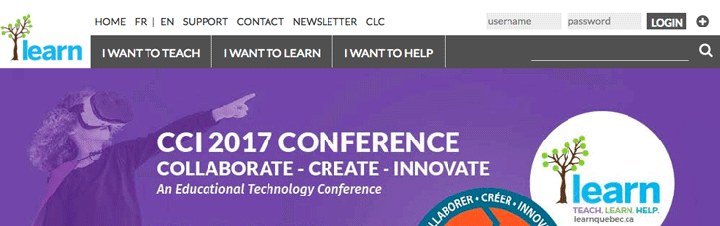
Learnquebec.ca is a largely bilingual website packed full of content for educators interested in educational technology. There are also sections for parents and students. Topics of interest to educators include:
- Special needs education (adaptive technologies, for example)
- Networking opportunities
- Approaches to learning (such as flipped classroom)
- Conferences and other professional development opportunities
- Grant application information
- Webinars on technology integration - includes archives of previous events
- An open-access, peer-reviewed online journal, LEARNing Landscapes
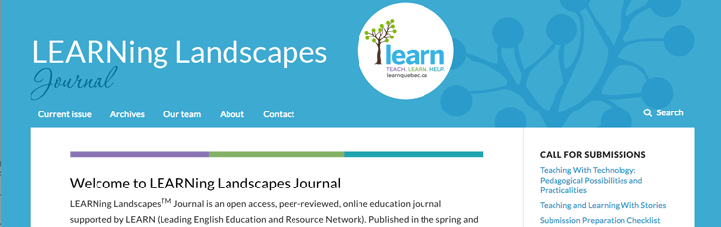
Note the “Call for Submissions” section requesting articles and papers regarding “Teaching With Technology”. The next issue should be of particular interest to teachers working to integrate technology in the classroom.
LEARNing Landscapes maintains a searchable archive of previous issues going back to 2007. The search engine appears robust and responds well to specific requests. The journal is published exclusively in English and I was unable to find any French language articles.
I'm pleased to have stumbled upon a bilingual professional development resource. The scope of the website is impressive. The goal of LEARN (the group that created this resource) is to provide learning and networking opportunities to English language educators in Quebec. Anglophone schools are few and far between in that province, which is the exact opposite of the situation in my home province of Manitoba.
Does a similar resource exist already for French Immersion teachers? If so, I intend to find it.
- Theressa
↻ BACK to TOP